

Managing user access and related charges
When I invite a new member, when will I be charged?
GitBook’s pricing is based on the number of members in an organization, and our pro rata billing policy helps to ensure that you pay for the correct usage. For monthly plans, you can add or remove members at any time and the change to your bill will be included on your next monthly invoice. For yearly plans, the same applies — however, if your pending charges exceed a certain amount, we’ll invoice straight away.
It is important to note that you won’t go through another checkout process when adding a new member to your organization.
How can I remove organization members?
To remove organization members' you will have to have admin permissions.
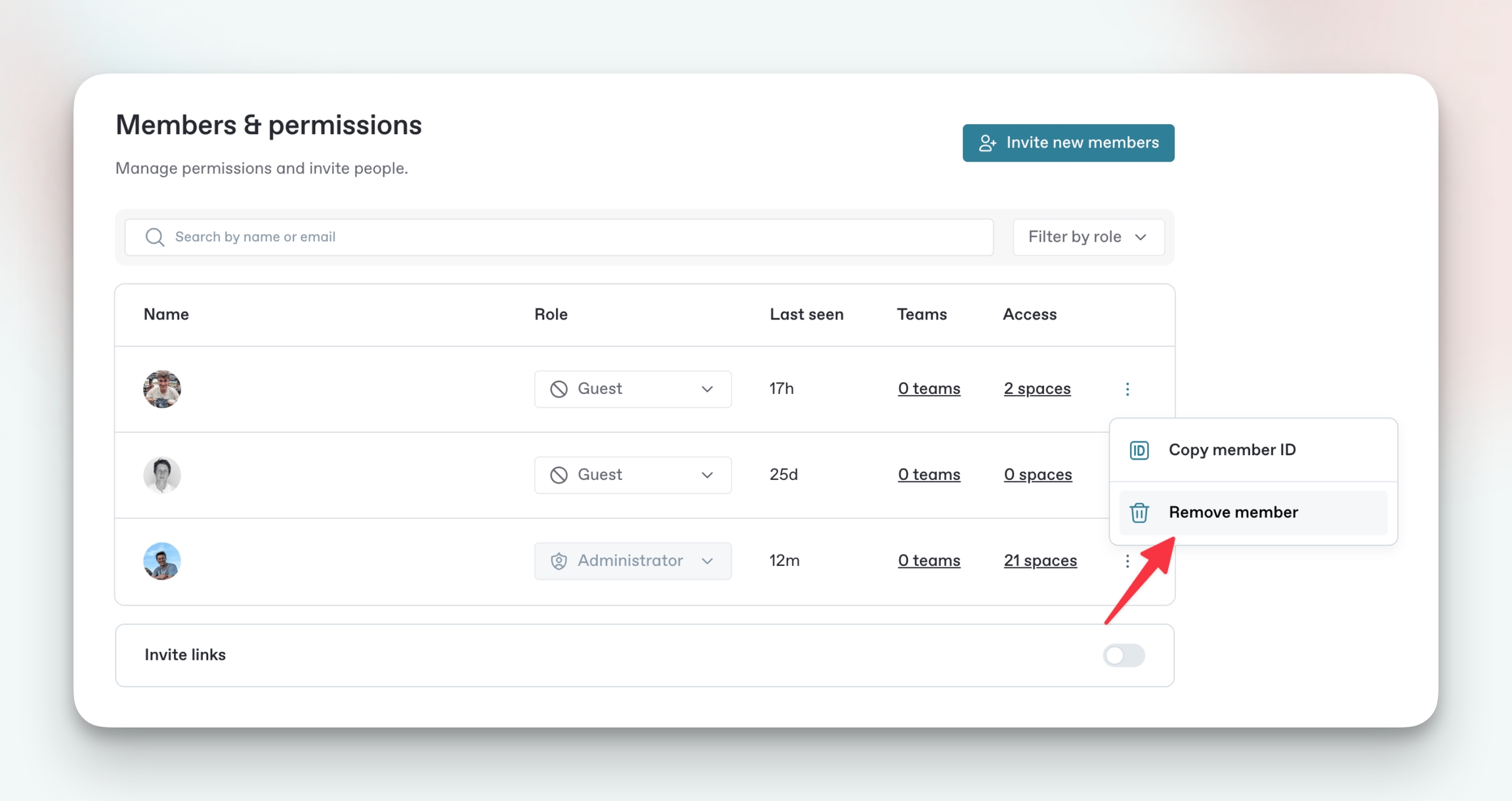
Navigate to organization settings by clicking the settings button at the bottom of your sidebar.
Navigate to members to view all members in the organization.
Click the three-dot option menu next to the member you want to remove.
Click remove and confirm.
Are guests or readers free members?
Access permissions do not affect members' price, so guests or readers cost the same as other users.
Last updated
Was this helpful?